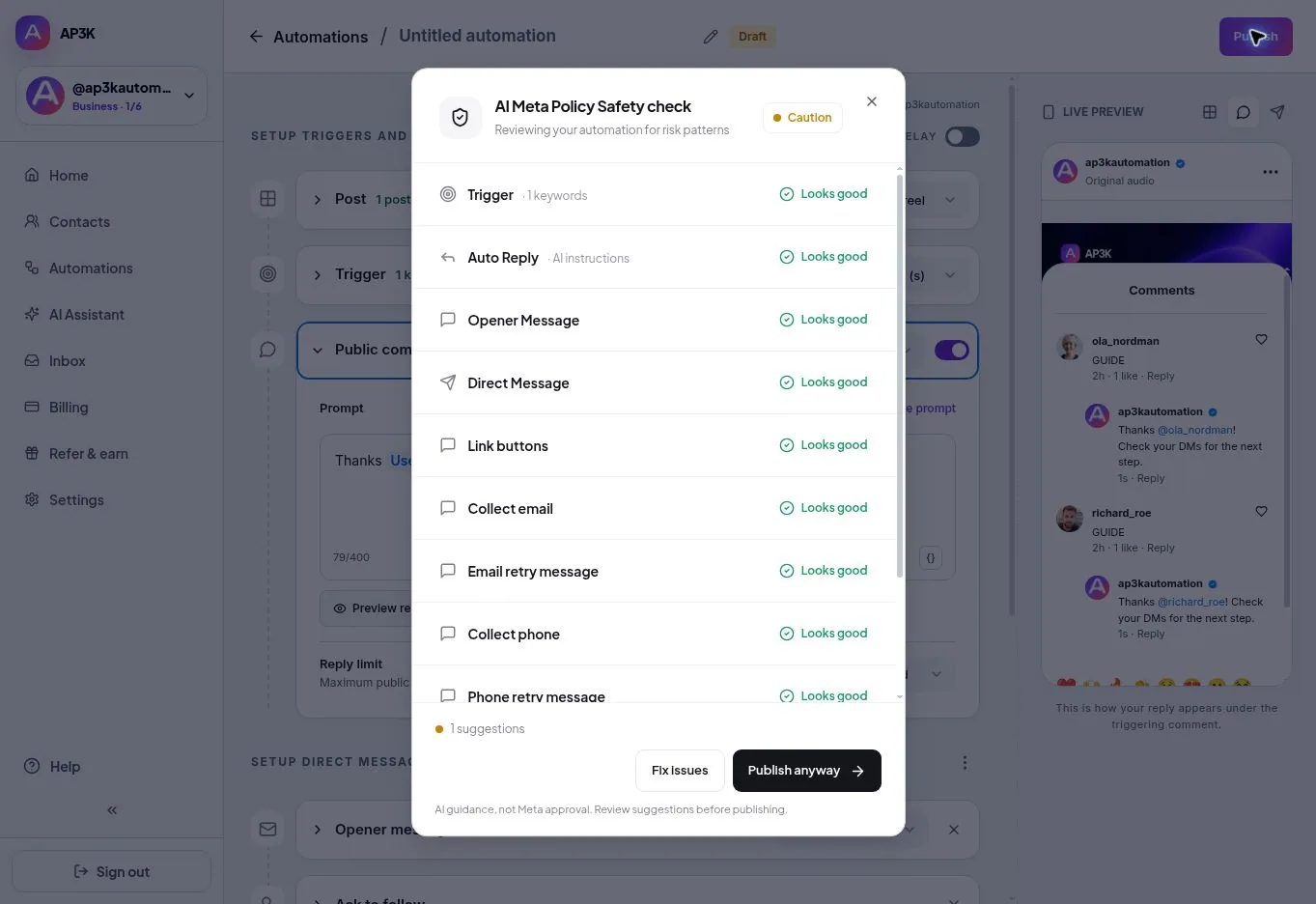
AI Meta Policy Safety Check reviews the configured automation for risk patterns before publishing. It is an advisory review, not approval from Meta and not a guarantee that messages will be delivered.
Run the check before publishing
- Complete the trigger, reply and DM settings.
- Choose Publish to open the safety review. AP3K scans the configured automation before the final publication confirmation.
- Read each finding and any suggested rewrite.
- Review and deliberately apply changes that fit the actual offer.
- Publish only after checking the complete customer journey, then test from another account.
Scan allowances
Free includes three policy scans. Pro and Business have unlimited scans subject to technical rate limits. Policy scans have a separate allowance from backtracking attempts and automated sends.
What the check cannot do
A clean scan does not override Instagram permissions, messaging rules, duplicate protection or monthly usage limits. The scan does not publish an automation. Keep business claims accurate, respect the recipient’s request and inspect real delivery after publishing.