A DM conversation is a lead you can only reach on one platform. Collect email and Collect phone turn it into one you own — asked for in the thread, validated on the spot, and saved to Contacts.
Both are added from Collect info in the row of step buttons.
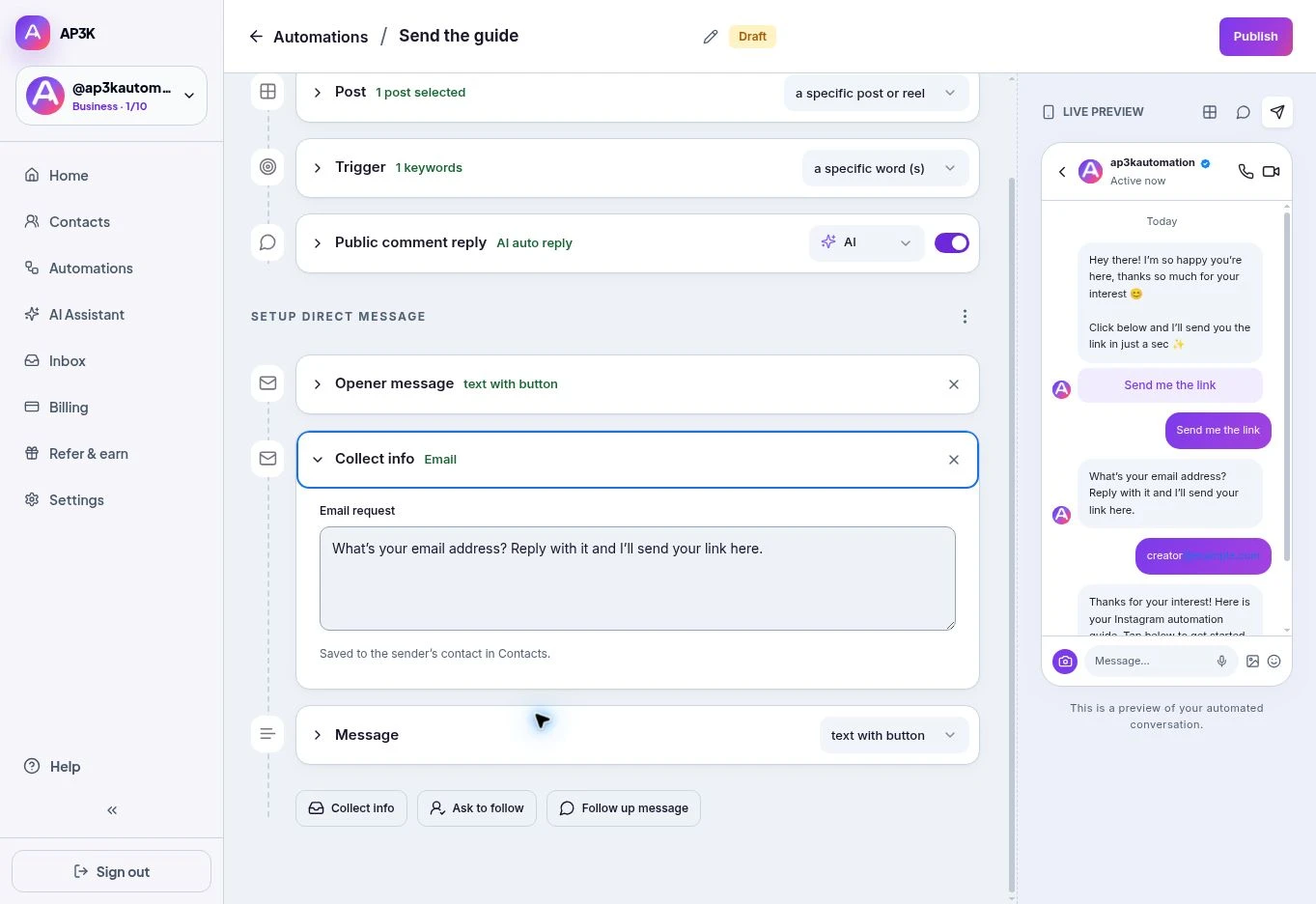
Collect email
On a paid plan, choose Collect info → Email. Write the Email request, up to 640 characters. A single clear question usually works best.
AP3K waits for a valid email reply before continuing. An invalid reply is not saved as an email address; the person can retry. The quick editor does not expose a separate custom retry-message field.
Collect phone
Choose Collect info → Phone and write the Phone request, up to 640 characters. Ask for the country code and include an example such as +14155550123.
AP3K validates the reply before saving it to the sender’s contact. Ask for one piece of information per message so the person knows exactly what to send.
Where the answers go
Valid replies save to Contacts, against the Instagram profile that sent them. If someone drops out later, details already captured remain on that contact. Open Contacts to review or export them.
Asking well
- Give first, ask second. Put the collect step after they’ve received something, or at minimum after the opener. Asking for an email before you’ve delivered anything is a form nobody filled in.
- Say why. “Where should I send the guide?” outperforms “Enter your email” — the first is a delivery question, the second is a data request.
- Ask for one thing. Email or phone. Both, back to back, reads as a signup form and gets abandoned like one.
- Match the channel to the follow-up. Only collect a phone number if you genuinely intend to text or call. Collecting it because the field exists builds a list you’ll never use and a permission you didn’t need.
Ordering it
Collect steps come last, after the opener message and any ask to follow, and before the message that delivers what you promised — so the exchange is a fair one: they give you an address, and the thing they wanted arrives right after.
For Post automations, collecting details requires the Opener message. If the person has already messaged you in a Story or Chat automation, the inbound message starts the conversation.