Post is the first card in the automation editor, and it answers one question: which piece of content is this automation listening to?
Nothing else runs until this is set. A trigger with no post attached has nothing to watch.
Choose the post scope
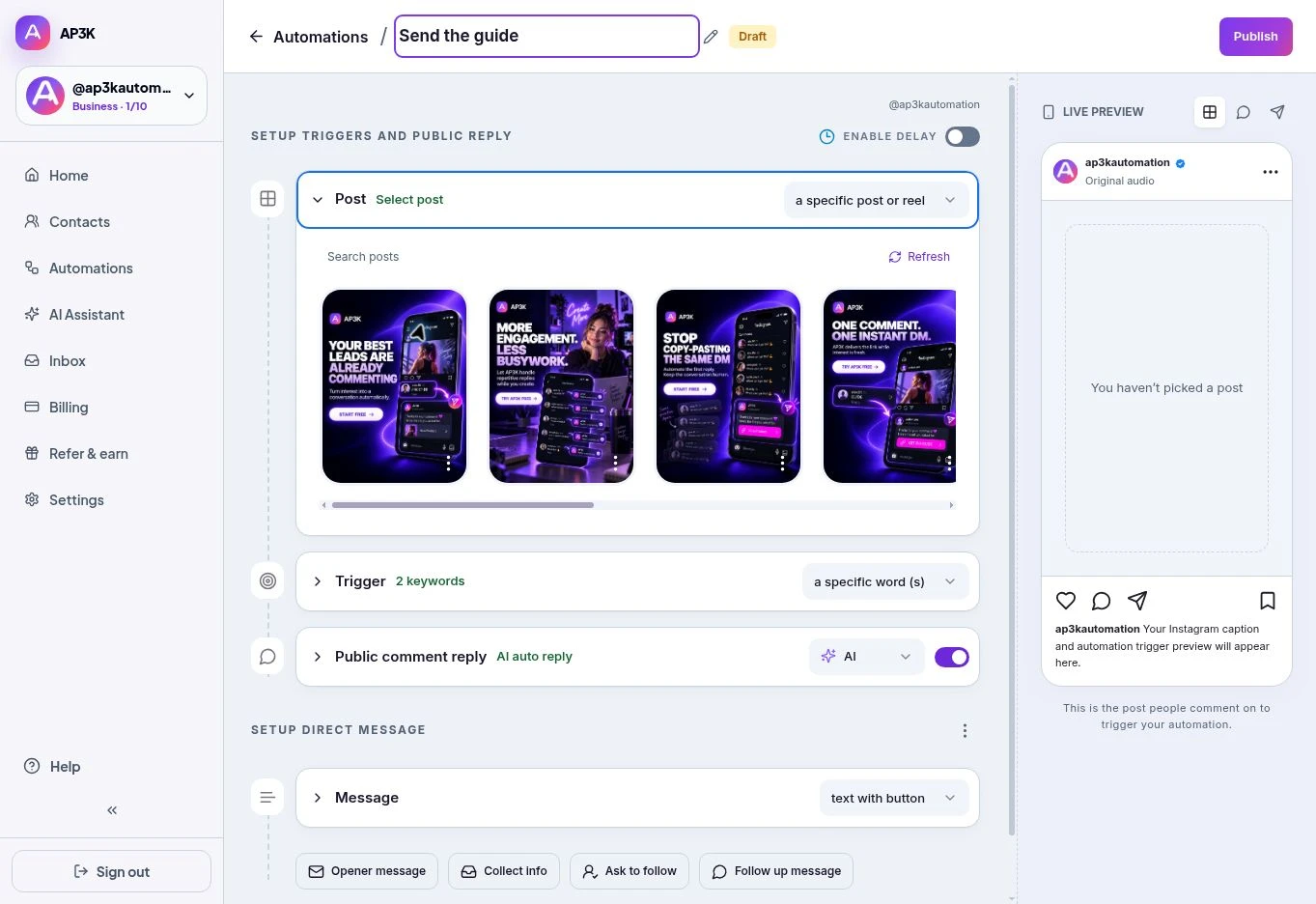
Open the dropdown on the Post card:
- a specific post or reel — pick one piece of published content from the grid. The automation listens on that post.
- Any post — listen across the account’s posts and reels. Use a relevant campaign keyword so unrelated comments do not receive the wrong link.
Pick a specific post and a grid of your published content appears underneath. Click a thumbnail to select it and review the selected post in the preview. Use the search field or Refresh if the post you need is missing.
To prepare a campaign for your next upload, use the Auto-DM on next post or reel template. The quick Post picker itself has the two choices above.
Which one to use
A specific post is the right default. Most automations exist for one campaign — a giveaway, a launch, a lead magnet — and the DM you write only makes sense next to that post.
Any post suits a broad, evergreen campaign. Check that the message makes sense across your feed, including future posts.
Changing the post later
The selection is not locked once you publish. Reopen the automation, click the Post card, and choose different content — the trigger, replies and DM all stay as they were. This is the quick way to reuse a campaign that worked: point last month’s automation at this month’s post rather than rebuilding it.
Reels, image posts and carousels all work the same way. Stories do not appear here — those belong to a story automation, which is a separate type.