Ask to follow to receive DM holds the message back until the recipient follows you. It’s the follow-for-value trade, run automatically: they wanted the link, the link costs a follow.
How the follow check works
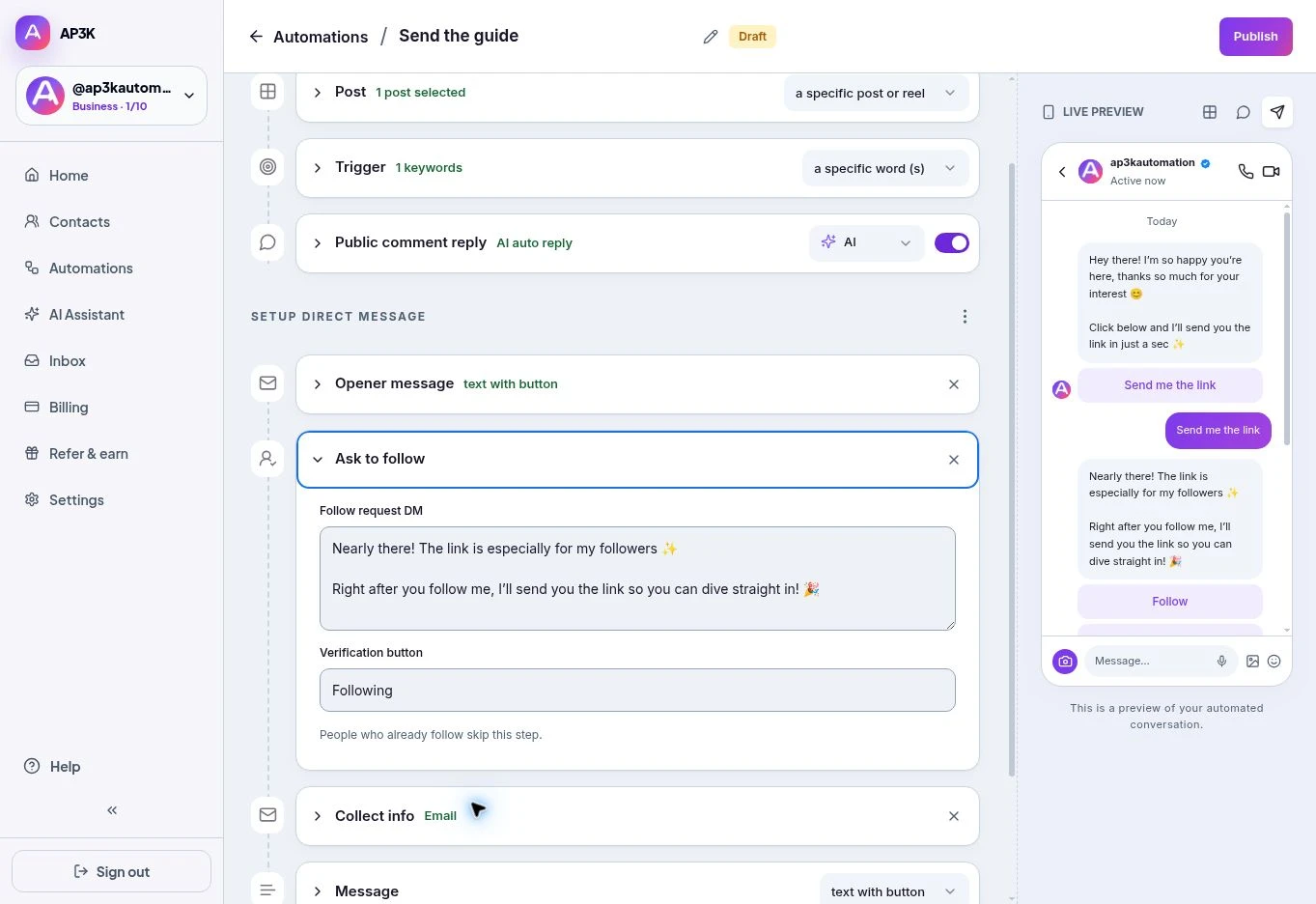
On a paid plan, add Ask to follow from the buttons under the DM section. In a Post automation, keep the Opener message enabled so the person can start the conversation.
- AP3K checks whether the person follows the connected account. People who already follow skip the request.
- Other recipients get your follow request and a verification button. They follow the account, then tap the button so AP3K can check again before continuing.
The button does not substitute for following: delivery depends on the follow check. If Instagram cannot confirm the status, do not assume the gate has passed.
Editing the copy
Edit Follow request DM (up to 640 characters) and Verification button (up to 20 characters). These are the two editable fields in the quick editor.
Keep the ask light and explain the value: “Follow our account, then tap below and I’ll send the guide.” The recipient should know what they will receive and how to continue.
When to use it — and when not to
Worth it for giveaways, exclusive drops, and any lead magnet where “follow to enter” was already the deal you announced in the caption.
Not worth it for customer support, order questions, or anything a paying customer asked for. Making someone follow you before you’ll answer their question about a delivery is the fastest way to turn a customer into an ex-one.
Ordering it
Ask to follow sits after the opener message and before collecting contact details. One gate is usually plenty — asking for a follow and an email and a phone number before delivering a free checklist is three chances to be told no.