An automation that sends one message sends it perfectly, identically, every time. That’s the problem. A hundred people receiving a character-for-character identical DM is the most legible bot signal there is — to the people reading it, and to the platform delivering it.
Variations are alternate wordings of the same DM. AP3K chooses among your original and saved variations for a conversation. Different people may receive the same variation; a retried delivery keeps the same wording for that journey.
Adding them
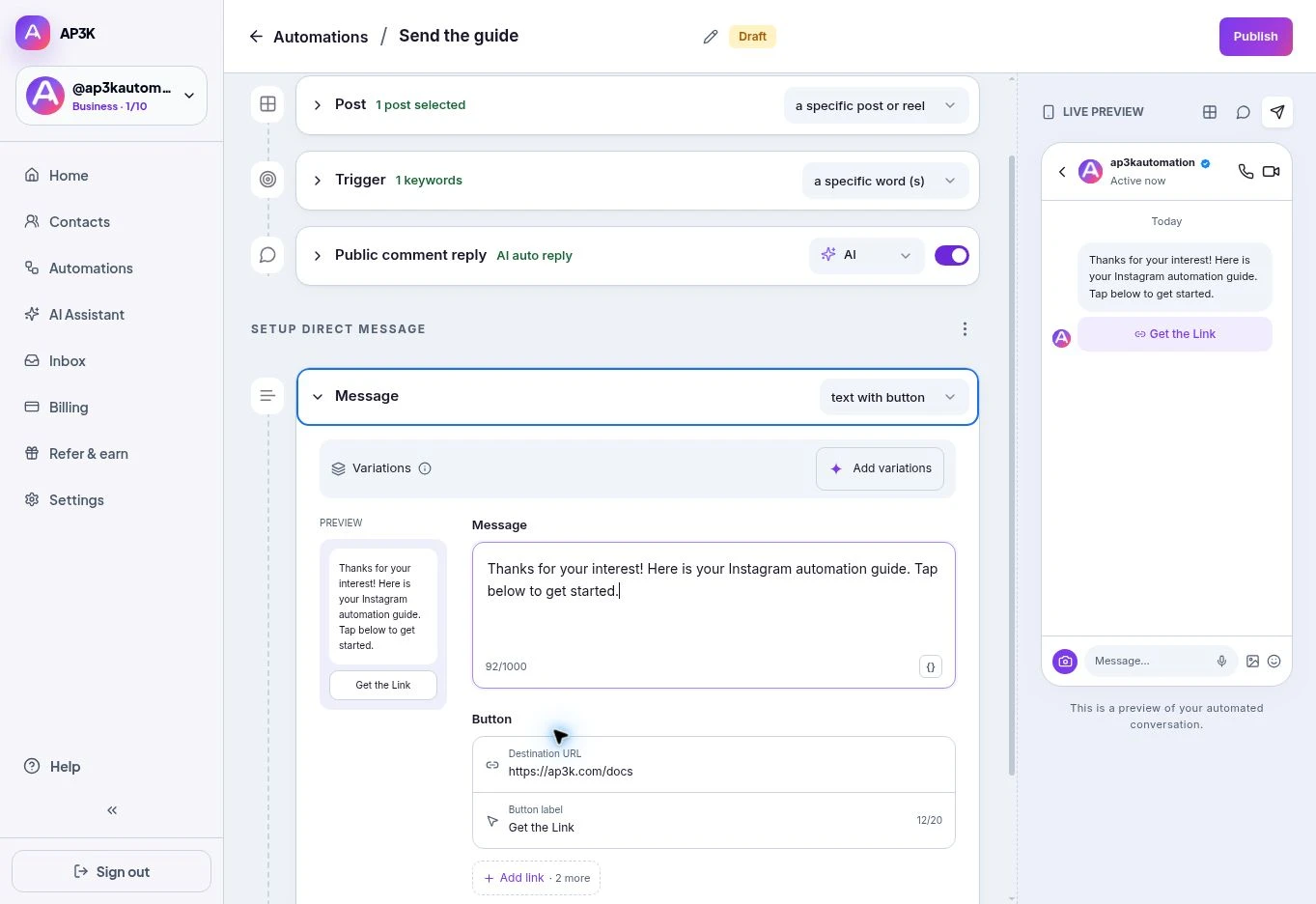
The Variations strip sits at the top of the Message card, above the text. Click Add variations — or Edit variations (5) once some exist.
The dialog opens with your message as the starting point and generates alternates from it.
Each variation has its own box, a regenerate icon to rewrite just that one, and a bin to delete it. Regenerate at the top rewrites the whole set. Edit any of them by typing — they’re normal text fields, and the AI’s suggestion is a starting point rather than the finished copy. Save when you’re happy.
How many
Five is the practical target and what the dialog generates by default. Below three, the rotation is noticeable to anyone who compares notes; above five, you’re maintaining copy nobody will read closely.
What to vary
Vary the wrapper, not the payload.
The link, the offer, the discount code and the instruction have to be identical in every variation — that’s the thing you’re actually sending. What changes is the sentence around it:
- “Here’s the link: …”
- “Check this out: …”
- “As promised 👇 …”
- “Link’s right here: …”
- “Sending it over now — …”
Keep them the same length and register. A set where one variation is a chirpy two-liner and another is a formal paragraph doesn’t read as natural variety, it reads as two different people.
Where else they apply
In the quick editor, variations apply to plain text and text-with-button messages. Your links and buttons stay the same. They do not change attachment files or product-card images.
The same idea drives multiple public replies. The Randomizer node splits people down different flow paths instead of rewording one message.
You can save up to ten alternate messages in addition to the original. Use Write my own to add reviewed copy, or generate more when AI drafting is available.