Triggers tell AP3K when to jump into action: a comment on a post, an interaction with a story, or a message sent to your inbox. Choose the automation type first, then set a rule that matches your call to action.
1: Any comment
If you want to keep it simple and respond to any eligible comment on your selected post or reel, choose Any comment. This is useful for giveaways where the caption says “comment anything to enter.”
Someone comments “Love this 🥰” on your product reel → AP3K can send your thank-you message and offer link.
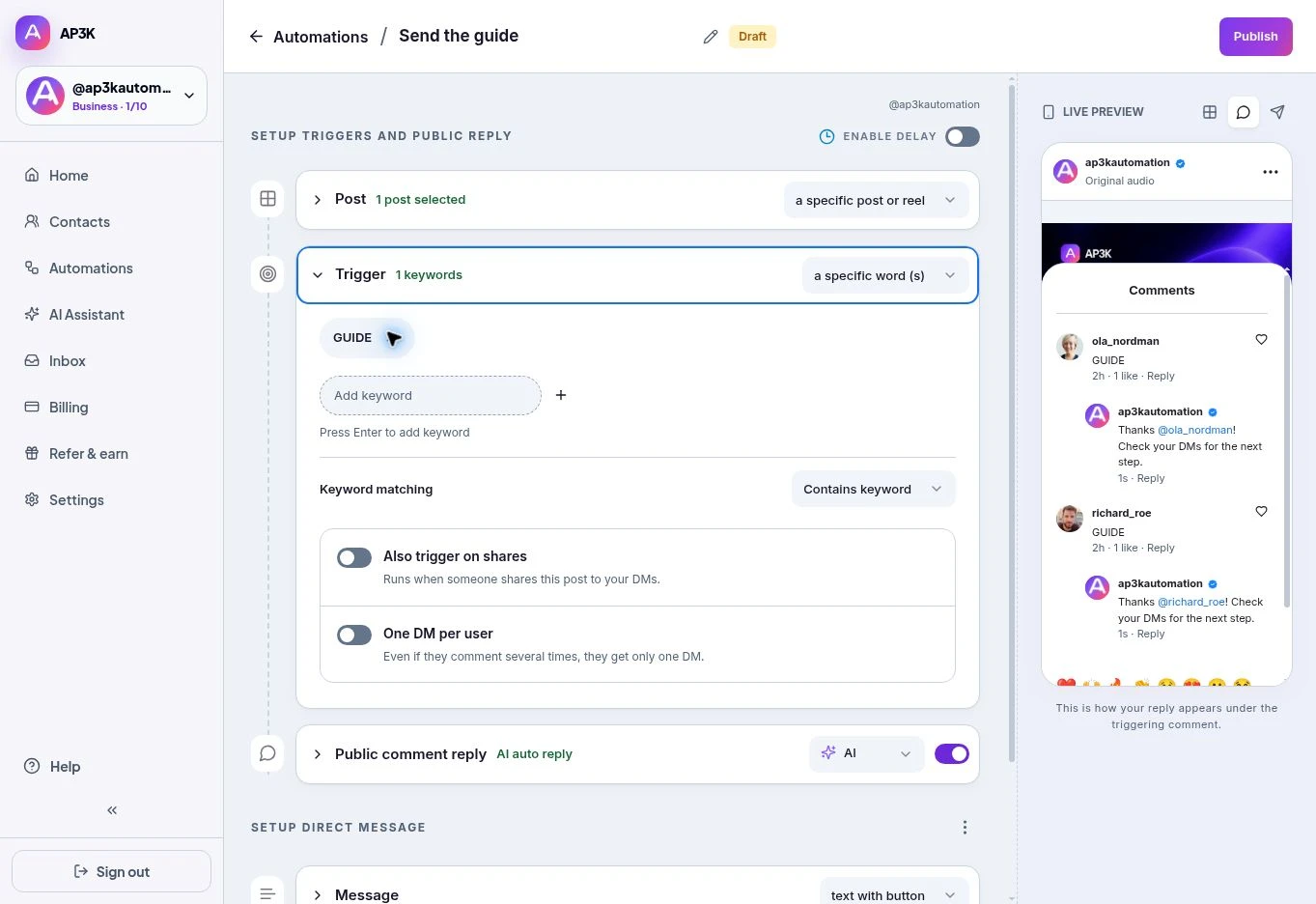
2: Specific keywords
Choose a specific word (s) when the campaign asks people to comment LINK, GUIDE, INFO or another word. Type a keyword into Add keyword and press Enter. Each becomes a chip you can remove with its ×. Matching any one of the saved keywords is enough.
Contains keyword matches the word or phrase inside a longer comment. Exact match requires the comment to match the keyword. Matching ignores letter case. For example, “What’s the price?” can match price in Contains mode; price does not match pricing.
AP3K does not offer an Intent Match trigger in this editor. Add the different words your audience uses, or choose Any comment when every comment should qualify.
When to use which
| You want to… | Use |
|---|---|
| DM people who comment on the selected post | Any comment |
| DM people using a campaign word in a sentence | Specific keywords + Contains keyword |
| Require the campaign word alone | Specific keywords + Exact match |
Also trigger on shares
This switch runs the automation when someone shares the selected post to your DMs. It does not mean sharing the post to any other inbox. AP3K checks the shared post against the configured post scope.
One DM per user
Even if someone comments several times, they get only one initial DM from this automation. The same conversation can still continue through its buttons and configured steps. Turn this on for campaigns where people tend to comment repeatedly.
Stories and incoming DMs
A Story automation selects Mentions me, Reacts or Replies. A Chat automation selects specific keywords or Any incoming DM. These are separate from the Post automation’s comment trigger.
Best practices for triggers
- Use a short, clear word in both the caption and your automation.
- Test a matching comment and a non-matching comment from another account.
- Check which other automations listen to the same posts or inbox.
- Keep the reply relevant to the promise people responded to.