Instagram is a powerhouse for e-commerce, with millions of users shopping directly from the platform. If you want to sell products seamlessly, DM automation can help turn curious followers into paying customers effortlessly. In this guide, we'll explore how you can use an automated messaging system to boost sales using Instagram DMs, referencing the Sell Products template.
Why Use Instagram DM Automation for Sales?
Instagram DM automation allows you to:
- Provide instant responses to potential buyers.
- Share product details and links automatically.
- Streamline the buying process for customers.
- Increase engagement and sales without manual effort.
With a well-structured DM automation template, you can drive sales efficiently while keeping your interactions personalized.
In this guide, we'll walk you through setting up chat automation using the Sell Products template to make selling on Instagram easier and more efficient.
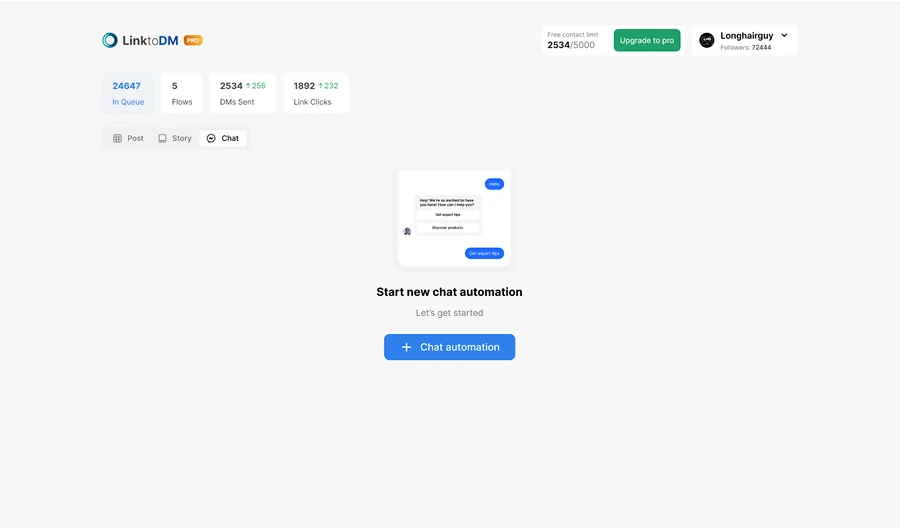
1. Create a New Chat Automation
Navigate to the Chat Automation section and click on "Create New Chat Automation." This will allow you to set up a new response system for your Instagram DMs.
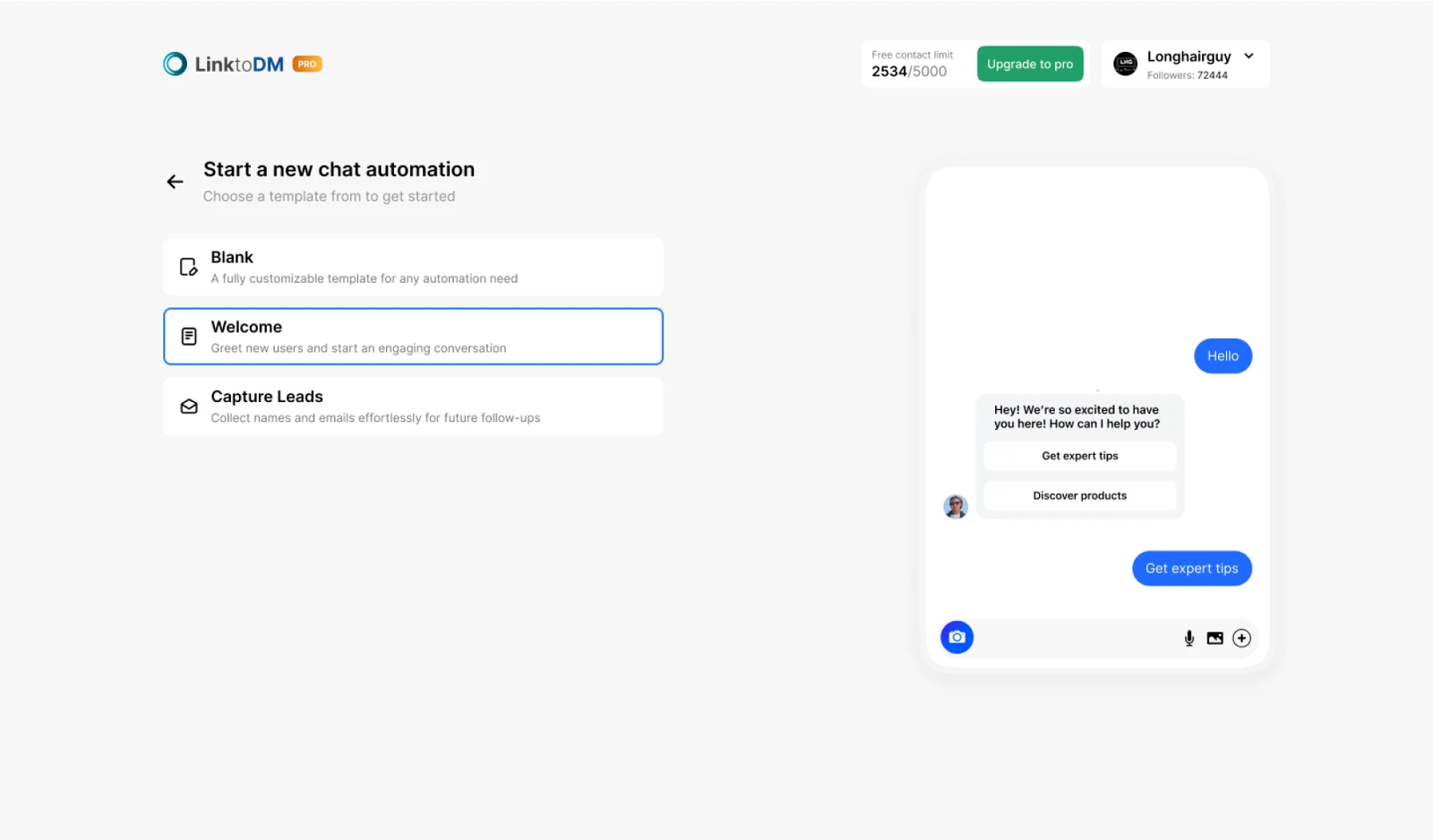
2. Select the "Welcome" Template
Choose the Welcome template from the list. This template is designed specifically for selling products by guiding users through categories and providing them with direct purchase links.
3. Add a Trigger for Product Inquiries
To make your automation work effectively, add relevant triggers—these are the keywords that will activate your automated response. Examples include:
- "Buy"
- "Price"
- "Order"
- "Shop"
- "Purchase"
Whenever someone DMs you with one of these words, your automation will kick in and guide them to your products.
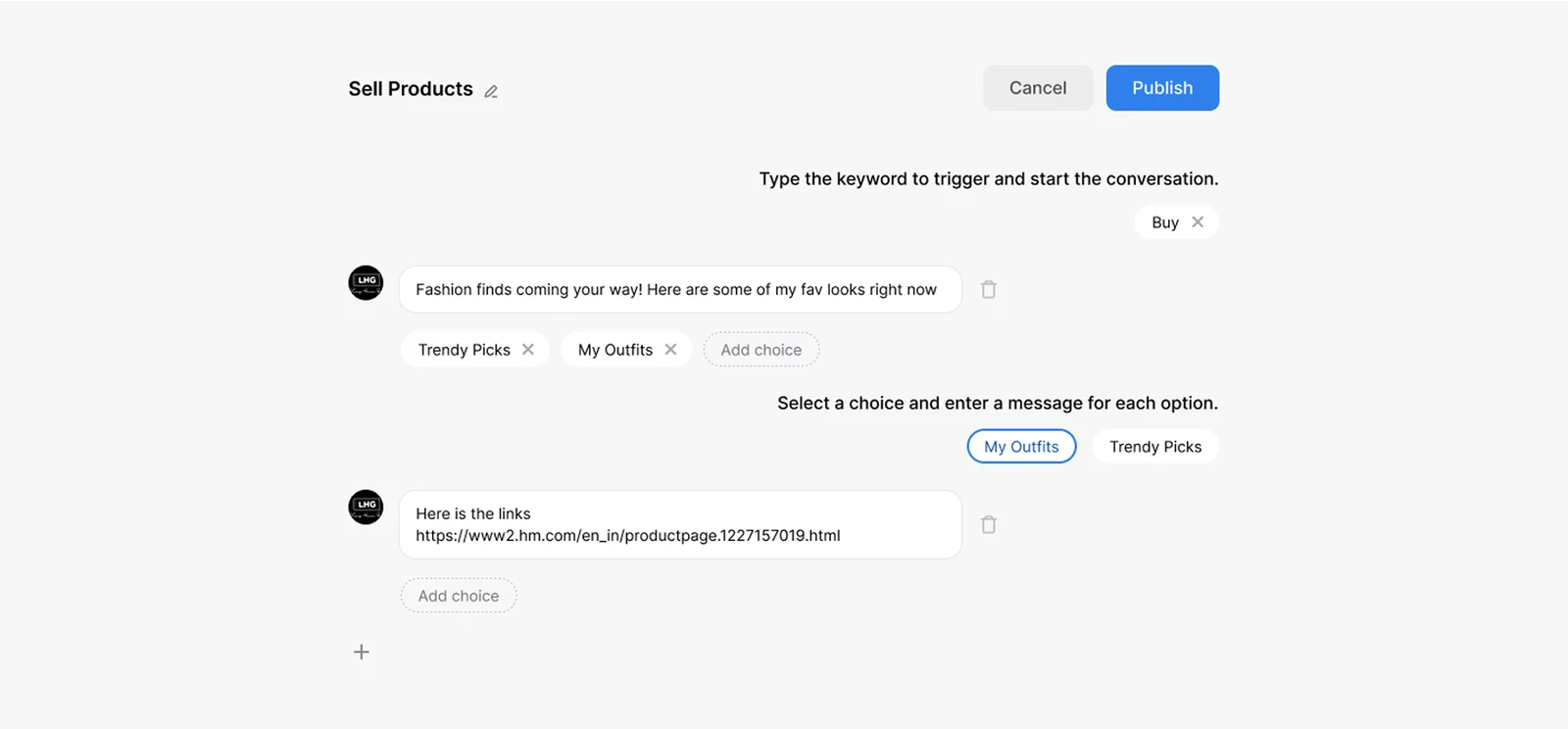
Add Product Categories as Options
To make shopping easy, list your product categories so customers can quickly find what they need. For example:
💄 Beauty Products
👗 Clothing & Fashion
👠 Shoes & Accessories
You can format this as a button selection so users can just tap on their preferred category.
Add Product Links for Each Category
Once users select a category, they should receive product recommendations with direct links to purchase. Example:
🔗 Beauty Products: [Insert link]
🔗 Clothing & Fashion: [Insert link]
🔗 Shoes & Accessories: [Insert link]
This makes it super easy for followers to shop without the hassle of searching for products.
Turn the next comment into a conversation.
Choose a clear trigger, write a useful response and try your first AP3K campaign.
SHARE THIS ARTICLE