A new Reel can attract comments while you are still finishing its automated reply. Next Post lets you prepare the keyword, message and destination first. After you publish the automation, AP3K selects the first Instagram post or Reel published afterward and keeps the rule attached to that post. This guide explains the order of operations, a realistic launch example and the checks that prevent the wrong resource from reaching your audience.
Choose Next Post when the media does not exist yet
A specific-post rule is the clearest choice when your Instagram post already exists. Any Post is useful for a reusable keyword across your account. Next Post is for a single upcoming publication: a product introduction, tutorial, checklist or launch announcement whose comments should receive one relevant response.
Next Post does not publish or schedule your Instagram content. Publish the post using Instagram or your usual publishing tool. AP3K prepares the response to eligible comments. The automation still needs a healthy Instagram connection and available plan capacity.
| Scope | Use it for | What receives the automation |
|---|---|---|
| Specific post | A post already published | The selected media |
| Any Post | An evergreen keyword | Matching comments across posts |
| Next Post | One upcoming launch | The first post published after activation |
Prepare the automation before the Instagram publication
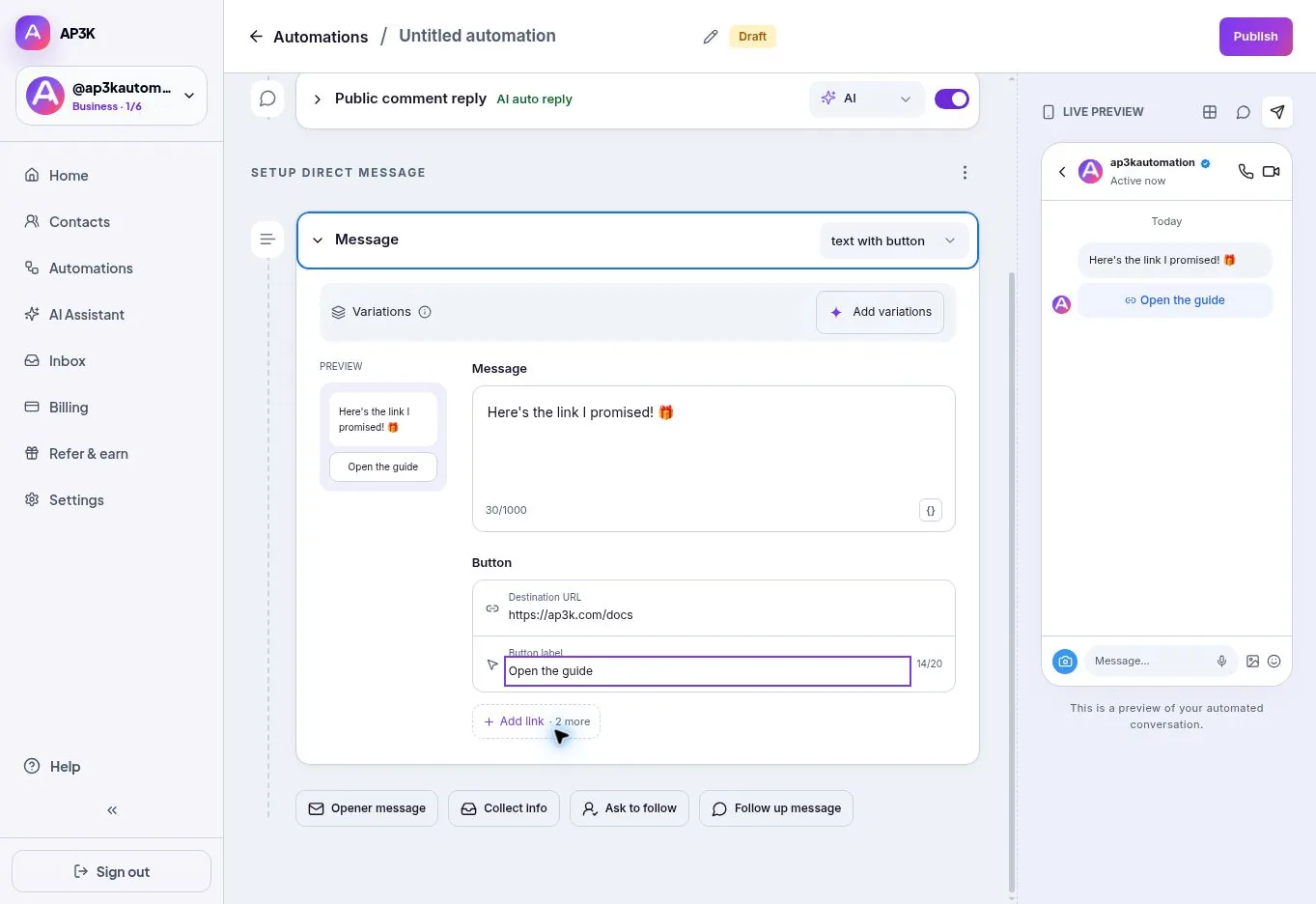
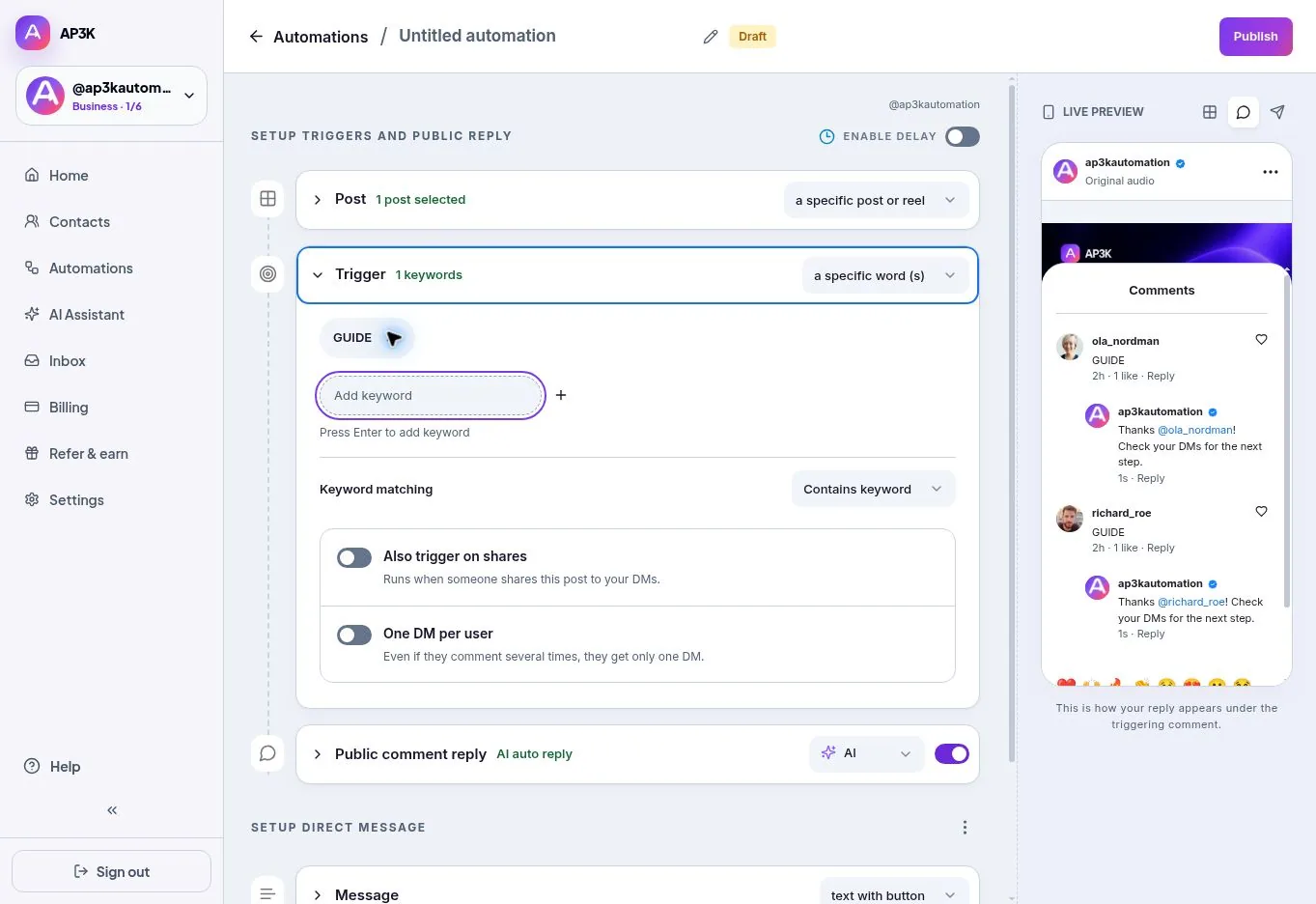
In Automations, create a Post automation. Open Post scope and choose Next published post. Choose a memorable keyword that exactly matches your caption’s invitation, then write the public reply, opening DM and final message you need. A draft does not arm the rule; activation does.
For a lighting checklist, your caption could say: ‘Comment LIGHT for the window-light checklist.’ The final DM can say: ‘Here is the checklist from the Reel. Start with the window-light setup.’ Use a button such as ‘Open checklist’ and enter your real HTTPS destination. Make clear if the destination requires an email address or payment.
- Prepare. Create the Post automation and choose Next published post.
- Review. Check the keyword, message, button destination and selected Instagram account.
- Activate. Publish the automation before publishing the Instagram post.
- Publish and test. Publish your Instagram media, then test a new matching comment from another account.
Understand which post gets selected
AP3K checks the connected account’s publication timeline. It chooses the earliest post published after the automation was activated, rather than whichever post receives a comment first. If you publish a behind-the-scenes photo before the planned Reel, that photo can become the next post. Coordinate the publishing order with anyone who manages the account.
If Instagram’s media response is unavailable or incomplete, AP3K does not guess a post. Reconnect or check permissions when needed. Do not interpret a quiet analytics chart as proof that Instagram delivered every webhook: inspect the connection, the actual post and the keyword before changing the campaign.
- Avoid publishing unrelated media between activation and your intended launch.
- If the desired post is already live, select it explicitly instead of choosing Next Post.
- Separate campaigns need separate rules and clear keywords; overlapping rules can produce ambiguous matches.
Test the whole recipient experience
Use another Instagram account to leave a fresh matching comment. Confirm the public reply if enabled, open the private message, press the opening button and follow every configured step. Check the final destination on a phone. A successful save only verifies the configuration; it does not prove the Instagram interaction or your landing page works.
Also test an unrelated comment. It should not trigger a keyword-specific offer. If you enabled Any Comment, expect broader triggering and make sure the message makes sense for everyone who comments. Review DM requests as well as the main inbox, and check AP3K delivery results when a message does not appear.
What happens when you edit, pause or duplicate it?
Editing the message or pausing the automation does not reset the original publication boundary. Once a post is selected, the rule stays attached to it. That avoids a routine copy edit accidentally moving a working campaign to another post.
For a later launch, create a new automation or duplicate the old one and review the copy and destination. The duplicate starts paused and establishes its own boundary when activated. If you want an existing post instead, switch to a specific post and select it deliberately. Keep campaign names descriptive enough to identify the offer and publication.
Frequently asked questions
Does it send to everyone who follows me? No. Next Post responds to eligible comments on the selected post. A follow alone is a different trigger and is not currently offered in AP3K’s connection.
Can I activate after publishing the Reel? Choose that Reel as a specific post. Next Post looks forward from activation, so it would otherwise target a later publication.
Will changing the message move the rule to my next Reel? No. Create a new next-post campaign for a new launch.
Where do I review results? Open the automation’s Analytics page for triggers, link visitors and confirmed follow transitions. Use delivery results to investigate sends, and your store or booking system to confirm sales.
Turn the next comment into a conversation.
Choose a clear trigger, write a useful response and try your first AP3K campaign.
SHARE THIS ARTICLE