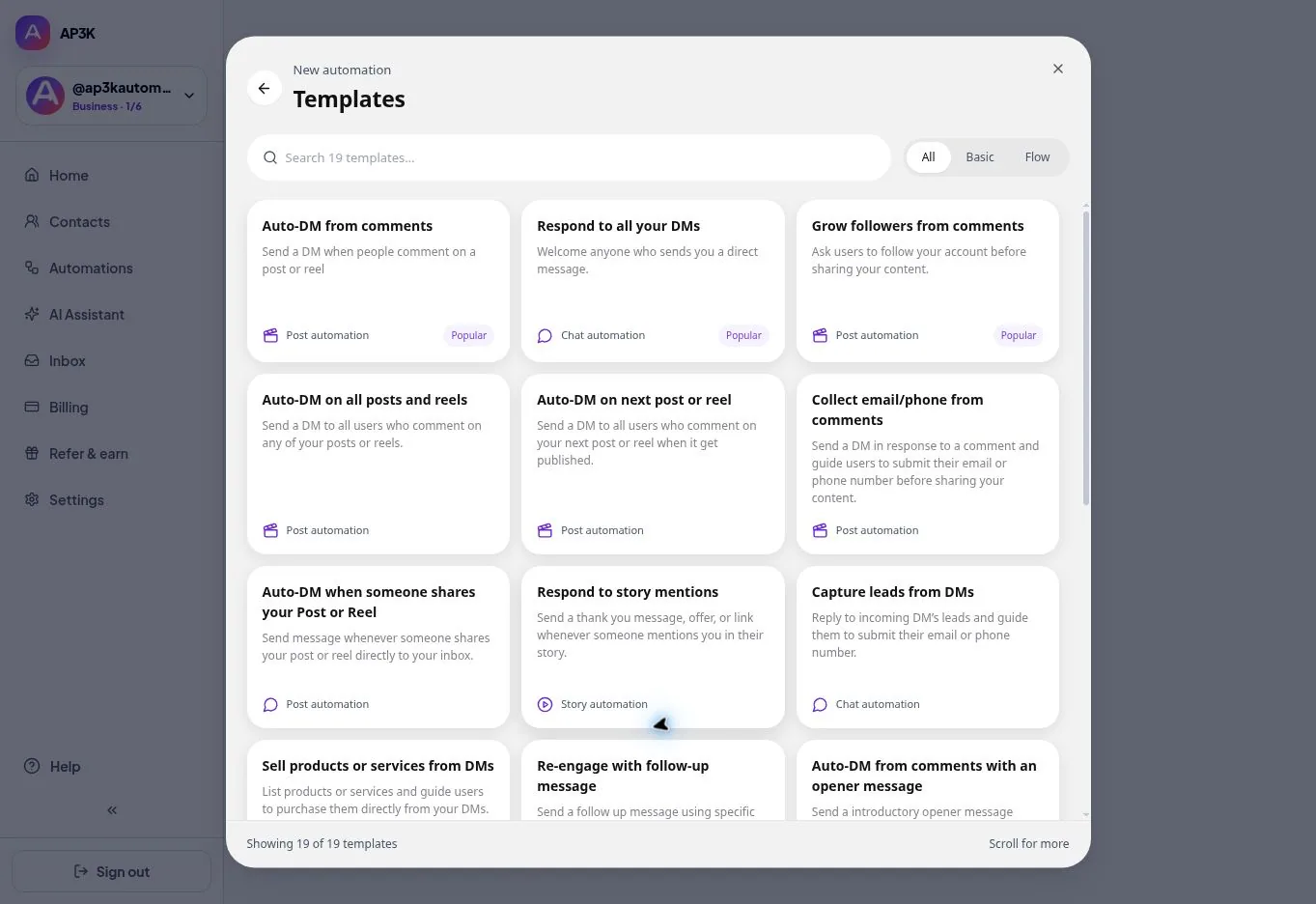
An empty canvas is the slowest way to start. The template gallery holds أتمتة جاهزة, and the مسار tab filters it down to the ones that open on the flow canvas rather than in the simple editor. Choose a template, customize its settings and review it before publishing.
Opening the template gallery
Click + أتمتة جديدة, then تصفح القوالب at the foot of the dialog, and switch to the مسار tab. The أساسي tab beside it holds the post, story and chat templates; some of these use the flow editor for their conversation steps.
Making a template yours
A template is a starting point, not a finished automation. Once it opens in the منشئ المسارات, go through it the same way you’d review your own work:
- The trigger — point it at your post, reel or keyword. This is the part a template can’t guess.
- The message content — replace the placeholder copy and links with yours, and check it sounds like you.
- الكل conditions and actions — tags and custom fields in a template refer to names that may not exist in your account yet.
Then publish, and test it from a second account before you point real traffic at it.