A Chat automation answers people who message your inbox directly — the “DM me BOOK” call to action. This guide takes you from an empty automation to a tested response.
Open the Chat editor
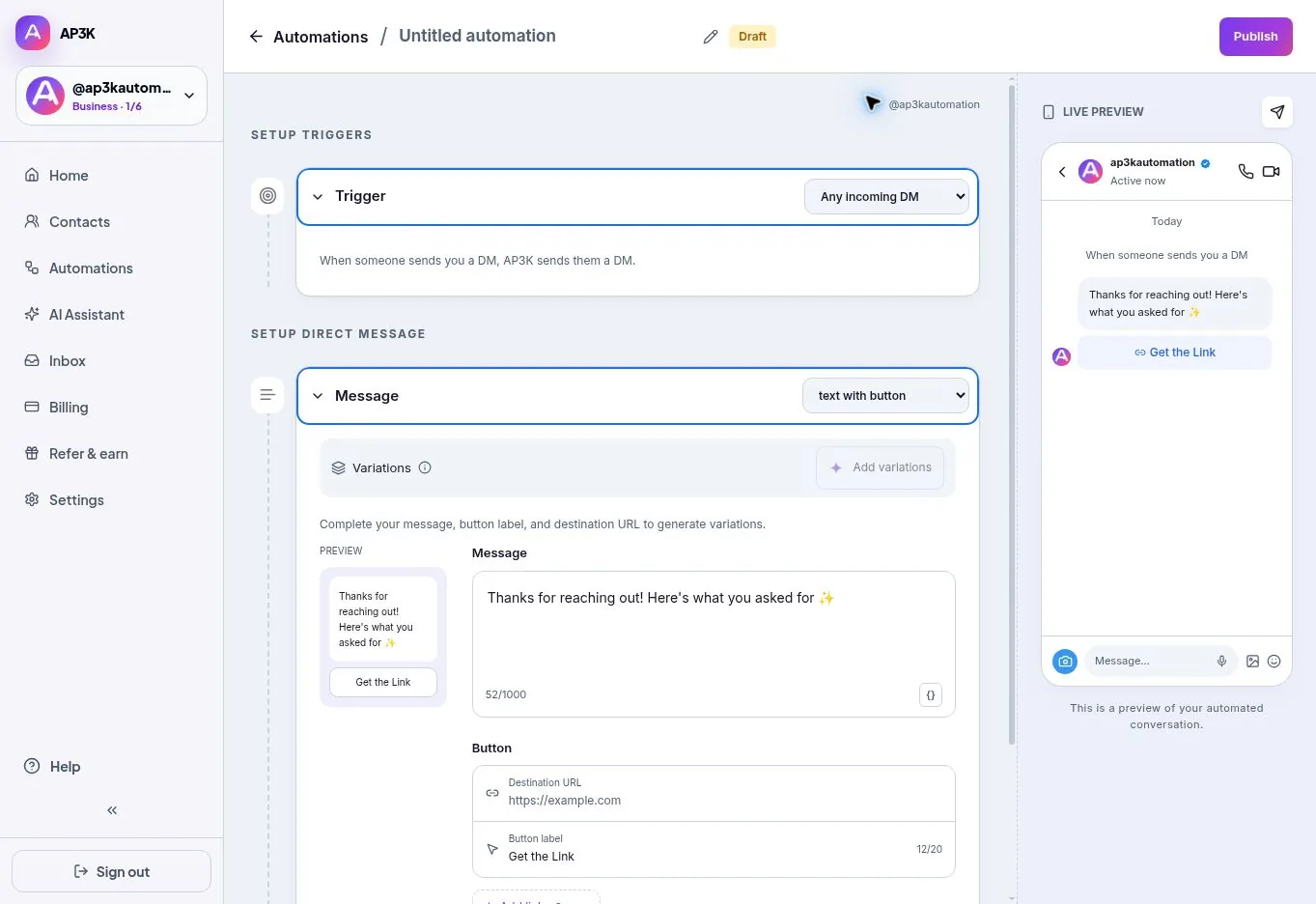
Choose New automation → Chat automation. Rename the automation so it is easy to identify later. The editor shows the trigger above your message and a conversation preview alongside it.
1. Set the trigger keywords
Choose كلمة أو كلمات محددة. Type one keyword into إضافة كلمة مفتاحية and press Enter, or use the plus button. Repeat for alternatives such as pricing, price and cost. Remove a keyword with its ×.
Keywords match without case sensitivity inside incoming messages. Choose deliberate campaign words: BOOK is more focused than a common greeting.
Choose أي رسالة خاصة واردة only when every eligible message should receive this response. That option ignores the keyword list. Check other active automations to avoid overlapping replies.
2. Write the message
Open الرسالة and choose plain text, text with button or attachment. Text supports up to 1,000 characters. For buttons, complete each label and destination URL; you can add up to three.
Write the opening of a conversation, not a broadcast. Review the preview and use إضافة صيغ if you want alternate approved wordings.
3. Add conversation steps
Paid plans can add جمع المعلومات, طلب المتابعة and رسالة متابعة to a saved-message automation. A collected email or phone is stored on the contact who sent it.
For branching choices, a multi-question script or a custom answer field, open منشئ المسارات instead. See Choices and collecting replies.
The paid رد ذكاء AP3K الاصطناعي option uses the person’s message plus your AI knowledge and guardrails. Configure a safe fallback message. AI reply mode cannot be combined with the quick editor’s capture and follow-up steps.
4. Publish and test
Click Publish, then send the keyword from your second account. Confirm the response, link destinations and any capture behavior.
Test the wrong input too: send a message without the keyword and confirm the campaign does not trigger. Then send a sentence containing the keyword and confirm the expected match. If you chose Any incoming DM, test that broader rule deliberately.
You should now have a tested Chat automation. For more complex conversations, continue with Chat automation templates.